
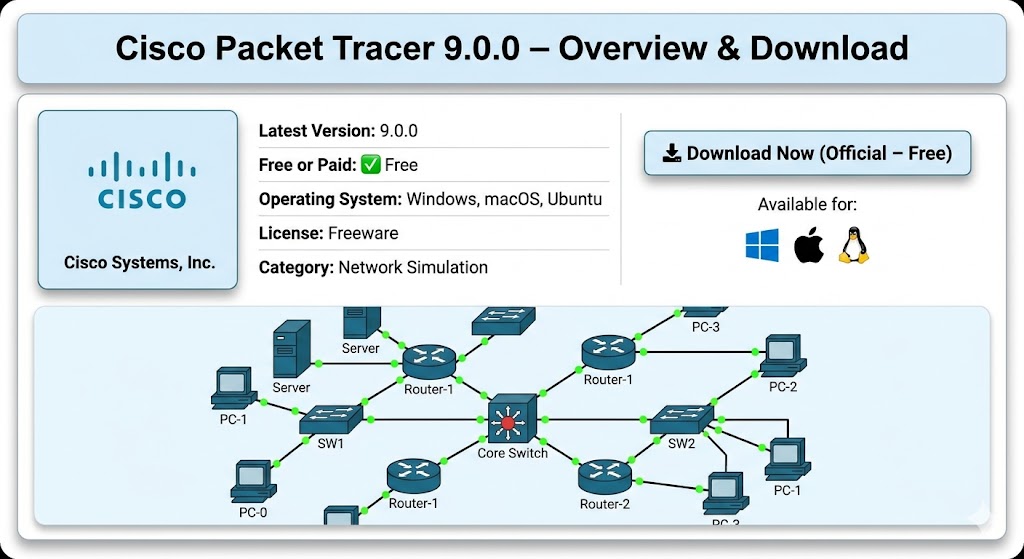
🔑 Key Details
Cisco Packet Tracer is a powerful and free network simulation software developed by Cisco Systems. It is designed for students, networking professionals, and educators who want to practice networking skills without needing real physical hardware. Using Packet Tracer, you can build complete virtual network topologies with routers, switches, firewalls, wireless access points, servers, IoT devices, and more — all on your computer screen.
✅ What You Can Do with Cisco Packet Tracer
- Design and simulate full network topologies (LAN, WAN, VLAN, etc.)
- Configure real Cisco routers, switches, firewalls, and hubs virtually
- Practice routing protocols — OSPF, EIGRP, BGP, RIP
- Set up DHCP, DNS, HTTP, FTP, and email servers
- Simulate IoT (Internet of Things) devices — smart homes, sensors, actuators
- Practice Industrial Network security (OT Protocols — new in v9.0.0)
- Integrate Python scripting inside the simulation
- Prepare for Cisco CCNA, CCNP, and CyberOps certifications
- Troubleshoot network issues using Packet Tracer’s built-in simulation mode
- Use multi-user mode to collaborate with other students over a network
🎯 Who Should Use It?
- Students — Preparing for CCNA, CCNP, or any networking exam
- Beginners — Learning networking from scratch with no hardware budget
- Teachers & Trainers — Creating and assigning virtual lab activities
- Network Engineers — Testing configurations before applying to real networks
- IoT Learners — Exploring smart device integration and automation
Devloper's description
💬 Developer’s Description
Cisco Packet Tracer is the official free network simulation tool created and maintained by Cisco Systems, Inc. — one of the world’s largest networking and cybersecurity companies. It is part of the Cisco Networking Academy (Netacad) program, which has trained millions of students worldwide.
According to Cisco: “Gain real skills with our powerful network simulation tool where you practice networking, IoT, and cybersecurity skills in a virtual lab — no hardware needed. Visualize how a network works, practice rack, stack, and cabling skills, plus integrate IoT devices, Python code, and more.”
Version 9.0.0 is a major upgrade focused on Industrial Network Security (OT). It introduces new industrial routers, switches, firewalls, and 11 Operational Technology protocols — making it the most complete version ever released. Cisco collaborated with universities and companies like Ford, AkerSolutions, NTNU, and WSUTECH to develop the industrial labs included in this version.
🆕 What’s New in Version 9.0.0
- 11 new OT (Operational Technology) industrial protocols added
- New Cisco Catalyst IR8340 & IR1101 Rugged Industrial Routers
- New Catalyst IE-3400 Industrial Switch (10 GbE ports)
- New ISA-3000 Industrial Firewall for OT network security
- New Cisco 8200 Series Edge Platform (SASE & cloud-native)
- New Cyber Observer Server — simulates real cyber threats & mitigations
- New Data Historian Server for industrial data storage
- Improved fiber optic network simulation (more realistic)
- Better login experience and accessibility improvements
⚙️ System Requirements
| Component | Minimum | Recommended |
|---|---|---|
| Operating System | Windows 10 (64-bit) | Windows 11 / macOS 12+ / Ubuntu 22.04 LTS |
| Processor (CPU) | Intel / AMD x86-64 (64-bit) | Dual-Core 2.0 GHz or higher |
| RAM | 4 GB | 8 GB or more |
| Storage (Disk Space) | 1.5 GB free space | 2 GB+ free space |
| Graphics | DirectX 9.0c compatible GPU | Dedicated GPU preferred |
| Internet Connection | Required for first-time login / activation | Stable broadband connection |
| Architecture | 64-bit only | 64-bit only |
📥 How to Install Cisco Packet Tracer
🪟 Windows Installation
- Go to the official download page: netacad.com/resources/lab-downloads
- Create a free Cisco Netacad account (if you don’t have one)
- Log in and click the Windows download link for Packet Tracer 9.0.0
- Save the
.exefile to your computer - Right-click the downloaded file → select “Run as Administrator”
- Accept the License Agreement and click Next
- Choose installation folder (or keep default) → click Install
- Wait for installation to complete → click Finish
- Open Cisco Packet Tracer from desktop shortcut
- Log in using your Netacad account credentials — Done! ✅
🐧 Linux (Ubuntu) Installation
- Download the
.debfile from Netacad Resource Hub - Open Terminal and navigate to the download folder:
cd ~/Downloads - Run the install command:
sudo apt-get install ./CiscoPacketTracer_900_Ubuntu_64bit.deb - Enter your system password when prompted
- Accept the license agreement (use Tab key to navigate)
- Launch using terminal command:
packettracer - Log in with your Netacad account — Done! ✅
🍎 macOS Installation
- Download the
.dmgfile from Netacad Resource Hub - Double-click the downloaded
.dmgfile - Drag the Cisco Packet Tracer icon into the Applications folder
- Open from Applications → click Open if a security warning appears
- Log in with your Netacad account — Done! ✅
⚠️ Important: Always download Cisco Packet Tracer from the official Cisco Netacad website only. Do not download from any third-party websites or torrent sources — they may contain viruses or malware.
⬇️ Download Cisco Packet Tracer
Click the button below to go to the official Cisco Netacad download page. You will need to create a free account to download the software.
⬇️ Download Cisco Packet Tracer (Official – Free)
Official Download URL: https://www.netacad.com/resources/lab-downloads
Developer: Cisco Systems, Inc. | Version: 9.0.0 | License: Free