
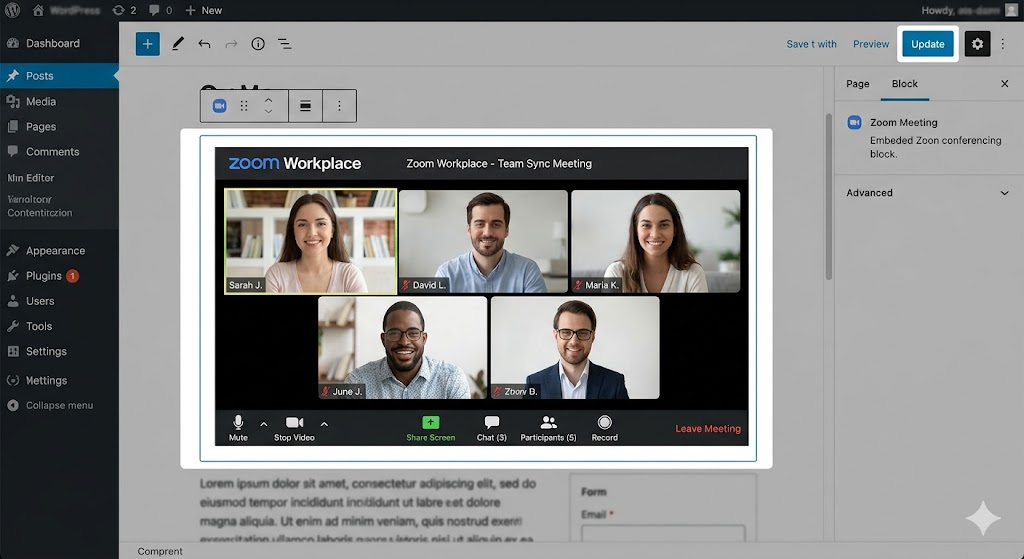
Best for: Dedicated video conferencing, large webinars, and cross-organization meetings.
• Free Plan: 100 participants, 40-min limit on group calls.
• Paid Plan: Up to 30-hour meetings, 5-10 GB cloud recording storage (Pro plan), AI Companion included.
• Pros: Advanced breakout rooms, high-quality whiteboard, reliable cross-platform app.
• Cons: Requires software download for best experience; free time limit is short
Devloper's description
Zoom Workplace ek all-in-one AI-powered collaboration platform hai jo Zoom Meetings, Team Chat, Whiteboard, Mail, Calendar, aur AI Companion ko ek single app mein integrate karta hai . Pehle ise sirf “Zoom Meetings” ke naam se jaana jaata tha, lekin 2024 mein ise Zoom Workplace mein rebrand kiya gaya .
Yeh remote, hybrid, aur in-office work ke liye design kiya gaya hai. Isme aap:
-
Video meetings host/join kar sakte hain
-
Team chat se messages exchange kar sakte hain
-
Whiteboard pe collaborate kar sakte hain
-
AI Companion se meeting summaries, chapter divisions, aur templates le sakte hain
🖥️ System Requirements (Full Detailed Table)
| Platform | Operating System | Processor | RAM | Internet | Other Requirements |
|---|---|---|---|---|---|
| Windows | Windows 10 (Home/Pro/Enterprise) — S Mode NOT supported Windows 11 |
Dual-core 2GHz or higher | 4 GB free | Broadband (wired or 3G/4G/LTE) | Webcam + Mic + Speaker (built-in or USB) |
| macOS | macOS 10.13 or later | G4, G5, or Intel processor | 4 GB free | Broadband | Webcam + Mic + Speaker |
| Linux | Ubuntu 12.04 or higher | Dual-core 2GHz or higher | 4 GB free | Broadband | Webcam + Mic + Speaker |
| Android | Android 8.0+ (recommended) | 1.5 GHz or higher | 2 GB RAM | 3G/4G/WiFi | Camera + Mic + Speaker (built-in) |
| iOS (iPhone/iPad) | iOS 15.0+ / iPadOS 15.0+ | A9 chip or later | 2 GB RAM | 3G/4G/WiFi | Camera + Mic + Speaker |
| Web Browser | Chrome, Firefox, Edge, Safari (latest 2 versions) | N/A | N/A | Stable connection | No installation required |
⚠️ Important Notes (2025-2026 Updates)
| Update | Details |
|---|---|
| Windows 32-bit Support Ending | Zoom version 6.7.0 (released Dec 15, 2025) only supports Windows 64-bit. 32-bit users must upgrade to 64-bit to continue receiving updates . |
| Windows 7/8/8.1 No Longer Supported | Version 5.17.11 was the last version for these OS. Upgrade required . |
| Chrome OS App Deprecated | As of Jan 2025, Chrome OS Zoom app is replaced by Chrome Zoom Web App . |
1. Download & Install
-
Official website: https://zoom.us/download
-
Ya apne OS ke app store se:
-
Windows/Mac/Linux → Download Center
-
Android → Google Play Store
-
iOS → App Store
-
2. First Time Open Karein
Aapke paas teen options hain :
| Option | Kaam |
|---|---|
| Sign In | Agar already Zoom account hai |
| Join a Meeting | Bina sign-in kiye meeting join karna hai (meeting ID + passcode chahiye) |
| Sign Up | Naya free Basic account banana hai |
3. Meeting Join Kaise Karein
PC se:
-
Host se mili invitation URL click karein
-
Zoom app automatically open ho jayegi
-
Apna naam enter karein → Join click karein
-
Join with Computer Audio click karein
Mobile se:
-
Zoom Workplace app open karein
-
Join a Meeting tap karein
-
Meeting ID aur apna naam enter karein
-
Join tap karein
4. Meeting Host Kaise Karein
-
Zoom Workplace app open karein
-
New Meeting click karein
-
Start with Video (ya without video)
-
Invite participants ke liye Participants → Invite click karein
✨ Key Features (Kya Kya Kar Sakte Hain)
| Feature | Description | Availability |
|---|---|---|
| AI Companion | Meeting summaries, chapter division, whiteboard templates, smart suggestions | Paid plans + limited free trial |
| Zoom Meetings | HD video/audio conferencing, up to 100 participants (free), screen sharing | Free & Paid |
| Team Chat | Instant messaging, file sharing, channels | Free & Paid |
| Zoom Whiteboard | Collaborative digital whiteboard with sticky notes, drawing tools | Free & Paid |
| Mail & Calendar | Email and calendar integration (Gmail/Microsoft 365) | Free & Paid |
| Zoom Clips | Record 2-minute async videos | Free |
| Breakout Rooms | Split meeting into smaller groups | Paid |
| Virtual Background / Avatar | Privacy protection | Free |
| Zoom Notes | Collaborative meeting notes | Free & Paid |
| Workspace Reservation | Book desks/rooms in hybrid office | Enterprise plans |
💰 Free vs Paid Plans
| Plan | Meeting Duration | Participants | Key Features |
|---|---|---|---|
| Free (Basic) | 40 minutes max | 100 | Basic meetings, team chat, whiteboard, clips |
| Pro | 30 hours | 100 | AI Companion, 5GB cloud recording, 14-day free trial |
| Business | 30 hours | 300 | Company branding, managed domains |
| Enterprise | 30 hours | 500+ | Unlimited cloud storage, dedicated support |
Note: Paid license sirf host (meeting organiser) ke liye chahiye. Guests bina paid account ke join kar sakte hain .
🔗 Official Download Links (All Platforms)
| Platform | Download Link |
|---|---|
| Official Website (All) | https://zoom.us/download |
| Windows (64-bit) | https://zoom.us/client/latest/ZoomInstaller.exe |
| Mac | https://zoom.us/client/latest/Zoom.pkg |
| Linux (Ubuntu/Debian) | https://zoom.us/client/latest/zoom_amd64.deb |
| Android | Google Play Store Link |
| iOS | App Store Link |
| Chrome Web App | Chrome Web Store (search “Zoom”) |
📊 Quick Summary Table (Ek Nazar Mein)
| Category | Details |
|---|---|
| Company | Zoom Video Communications, Inc. |
| Latest Version | 6.7.0+ (rolling updates, 2026) |
| Free Plan | Yes — 100 participants, 40-min limit |
| Paid Plan | Pro ($14.99/month/host), Business, Enterprise |
| Platforms | Windows, Mac, Linux, Android, iOS, Web |
| Key USP | AI Companion, all-in-one collaboration |
| Total Downloads | 1B+ (Google Play) |