
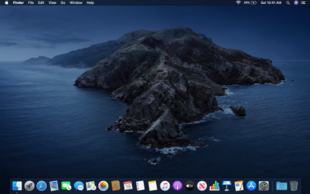
macOS is the official operating system developed by Apple Inc. exclusively for Apple Mac computers. It is known for its clean design, powerful performance, strong security, and seamless integration with other Apple devices like iPhone, iPad, and Apple Watch. macOS is completely free to download and upgrade for all eligible Mac users. Every year Apple releases a new version of macOS with new features, performance improvements, and security updates.
Devloper's description
macOS is developed by Apple Inc. — one of the world’s most valuable technology companies founded on April 1, 1976 by Steve Jobs, Steve Wozniak, and Ronald Wayne. Headquartered in Cupertino, California USA, Apple designed macOS to deliver the most secure, stable, and user-friendly desktop operating system in the world. macOS is built on a Unix-based foundation which makes it extremely stable and secure. Apple updates macOS every year with major new features and releases monthly security patches to keep all users protected. macOS works seamlessly with iPhone, iPad, Apple Watch, and Apple TV through features like Handoff, AirDrop, iCloud, and Universal Clipboard.
All macOS Versions List:
Version 1 — Mac OS X 10.0 Cheetah — Released March 24, 2001 Version 2 — Mac OS X 10.1 Puma — Released September 25, 2001 Version 3 — Mac OS X 10.2 Jaguar — Released August 23, 2002 Version 4 — Mac OS X 10.3 Panther — Released October 24, 2003 Version 5 — Mac OS X 10.4 Tiger — Released April 29, 2005 Version 6 — Mac OS X 10.5 Leopard — Released October 26, 2007 Version 7 — Mac OS X 10.6 Snow Leopard — Released August 28, 2009 Version 8 — Mac OS X 10.7 Lion — Released July 20, 2011 Version 9 — OS X 10.8 Mountain Lion — Released July 25, 2012 Version 10 — OS X 10.9 Mavericks — Released October 22, 2013 Version 11 — OS X 10.10 Yosemite — Released October 16, 2014 Version 12 — OS X 10.11 El Capitan — Released September 30, 2015 Version 13 — macOS 10.12 Sierra — Released September 20, 2016 Version 14 — macOS 10.13 High Sierra — Released September 25, 2017 Version 15 — macOS 10.14 Mojave — Released September 24, 2018 Version 16 — macOS 10.15 Catalina — Released October 7, 2019 Version 17 — macOS 11 Big Sur — Released November 12, 2020 Version 18 — macOS 12 Monterey — Released October 25, 2021 Version 19 — macOS 13 Ventura — Released October 24, 2022 Version 20 — macOS 14 Sonoma — Released September 26, 2023 Version 21 — macOS 15 Sequoia — Released September 16, 2024
Key Features:
Spotlight Search — Find anything on your Mac instantly Mission Control — Manage all open windows and spaces easily AirDrop — Wirelessly share files between Apple devices instantly Handoff — Start work on iPhone and continue on Mac seamlessly iCloud Integration — Sync files, photos, and data across all Apple devices FaceTime — HD video calling built directly into the system Safari Browser — World’s fastest and most energy efficient browser Universal Clipboard — Copy on iPhone and paste on Mac Siri — Built-in AI assistant for hands-free control Screen Time — Monitor and control device usage Touch ID — Fingerprint login on supported Mac models FileVault — Full disk encryption for maximum security Time Machine — Automatic backup system built into macOS Continuity Camera — Use iPhone as a webcam for Mac Stage Manager — Better multitasking and window management Apple Intelligence — AI powered features in macOS Sequoia 15
System Requirements for macOS Sequoia 15:
MacBook Air — 2020 or later MacBook Pro — 2018 or later Mac Mini — 2018 or later Mac Studio — 2022 or later iMac — 2019 or later iMac Pro — 2017 or later Mac Pro — 2019 or later Storage: 20 GB free space required RAM: 8 GB minimum
How to Download — Official Steps:
Step 1: Click the Apple menu on your Mac and go to System Settings Step 2: Click on General and then Software Update Step 3: Your Mac will automatically show the latest available macOS version Step 4: Click Upgrade Now or Download Now Step 5: Enter your Mac password if asked Step 6: Wait for the download to complete — size is approximately 12 GB Step 7: Your Mac will restart automatically and install the update Step 8: Setup is complete — enjoy the new macOS
Alternative Download Method:
Step 1: Open App Store on your Mac Step 2: Search for macOS Sequoia in the search bar Step 3: Click Get and then Download Step 4: Follow on screen instructions to install
Download Link: https://www.apple.com/macos/macos-sequoia/
Important Notice:
macOS is exclusively designed for Apple Mac computers only. It cannot be legally installed on non-Apple computers. Always download macOS from the official Apple website or Mac App Store only. Downloading macOS from third-party websites is illegal and may contain malware or viruses. software95.com strongly recommends downloading macOS only through official Apple channels to keep your Mac safe and secure.
BLOGSBuy on Amazon